 Setlist Helper
Sync for Setlist Helper
Syncing Your Data with www.setlisthelper.com
Sync will back up your data to www.setlisthelper.com. Syncing is a process of pushing and pulling your data from the website.
Sync allows you to share data with multiple devices. It also allows you to keep your data on your device so you can use it when you are offline at a gig.
Sync works both ways:
- If you edit a song on the website, the next time you sync, the app will pull those changes to the device.
- If you edit a song in the app, the next time you sync, those changes will be pushed to the website.
This is the same for any object in the app or website such as setlists and tags. Sync is only needed in the app to keep it in sync with the website. Therefore, there is no Sync button on the website.
To sync, you must have an account at www.setlisthelper.com. You can do this in one of two ways:
- Create an account at https://www.setlisthelper.com/Account/Register
- Tap the registration button on the "Log in" page.
To get to the "Log in" page, open the main menu of the app and tap "Sync". If you are not logged in, you will see this page.
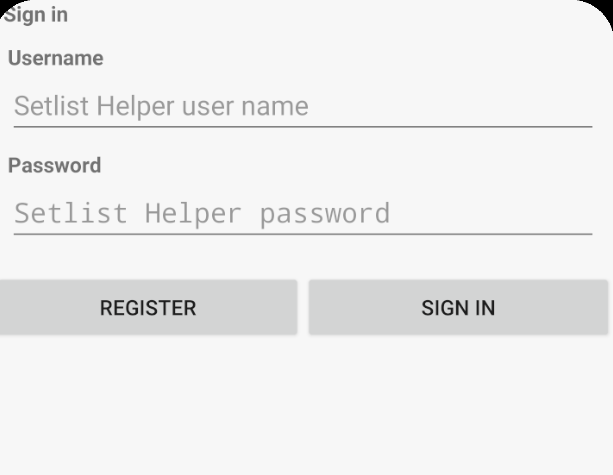
Android Log In
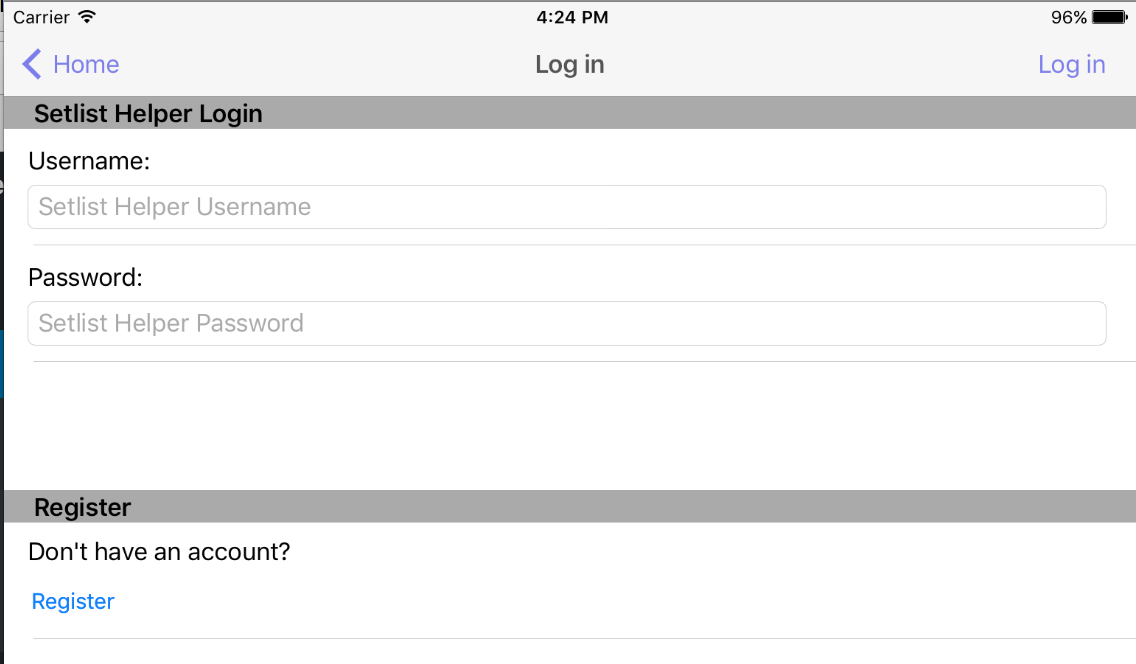
Apple App Log In
To create an account, tap the "Register" link shown above. Type a username, valid email, and password to register your account. After a successful registration, you will receive a success message. Sync will start after you accept the success message.
If you are having trouble registering, it may be one of these causes:
- Username is taken.
- The email address was already used to create an account.
- The password did not meet the requirements:
- Minimum of 6 characters
- At least 1 uppercase letter
- At least 1 lowercase letter
Using Multiple Accounts
You can use multiple accounts in the app. Open the main menu and tap "Log in". If you have already logged in with an account, the data from the previous account needs to be removed to make room for the new account. You will see the message below.
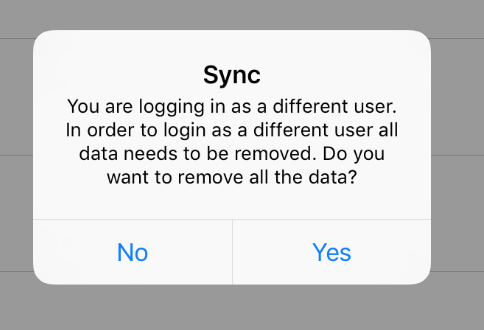
Say yes to this message if you are confident that the data from the previous account is backed up. If you are not sure, say "No" and sync and back up your data first.