 Setlist Helper
Play Button Actions for iOS
Starting with version 2.5 of Setlist Helper for Apple mobile devices, you can automate several actions. Actions are executed when you tap the "Play" button at the top right of the screen. In addition, they will be executed when you double-tap the lyrics view. When you tap the "Play" button, it will turn into a "Stop" button so you can stop any of the actions.
To customize the actions, make sure you are viewing the Lyrics view. Tap the menu button with three dots in the lower right and choose "Configure Play Button".
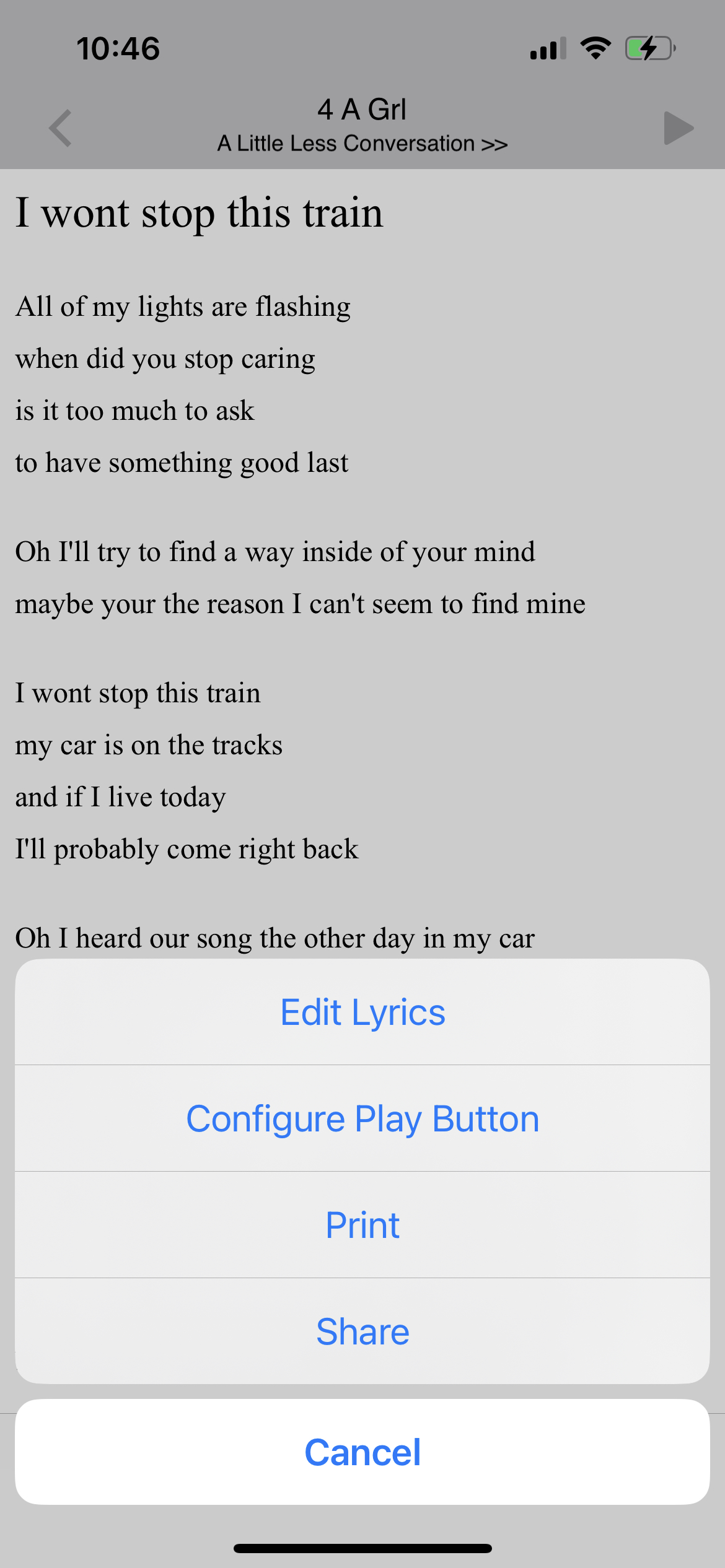
After tapping "Configure Play Button", the following screen appears.
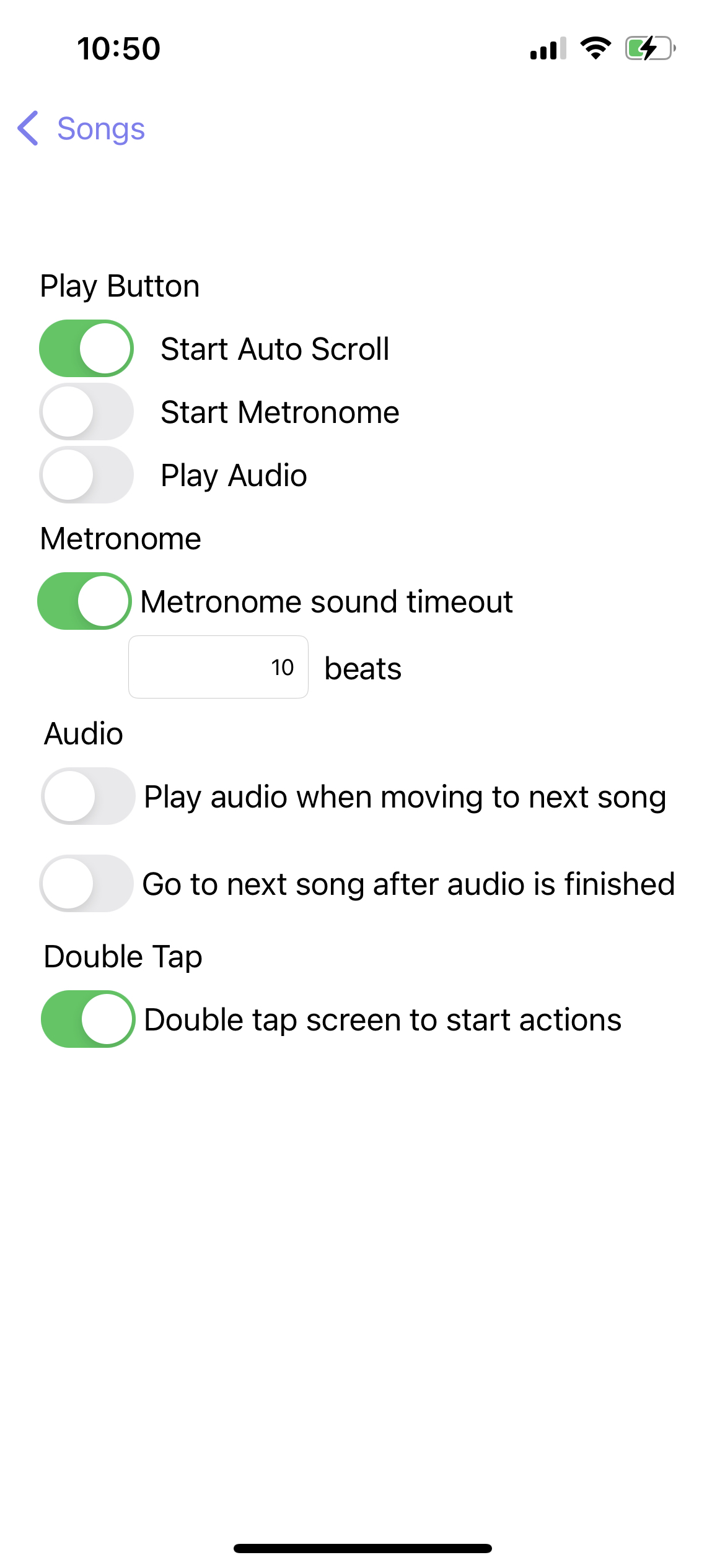
The screen above shows the available actions:
- Start Auto-scroll - This will start scrolling the lyrics at the speed chosen when you use the auto-scroll button. See Auto-scroll in Setlist Helper for iOS. When the "Play" button is tapped or you double-tap the lyrics to start the actions, the auto-scroll adjustment toolbar will not appear. Tap the link above to adjust the auto-scroll.
- Start Metronome - This option will make the metronome appear and start with the current tempo of the song. You will need to manually stop the metronome by tapping the stop button. To adjust the tempo, go back to the song list and tap the circle next to the song. This will open the edit view. You can change the tempo in the "Tempo" field.
- Play Audio - If you have audio attached to a song, the song will start playing. This action will display the audio controls at the bottom.
- Play metronome for the following beats - If you have "Play Metronome" checked, the metronome will play the sound for the beats you specify. The metronome will continue silently after the chosen beats and display the visual metronome only.
- Play audio when moving to next song - When you swipe to the next song, the audio will automatically start.
- Go to next song after audio is finished - When the audio has reached the end, the next song will appear.
- Double-tap screen to start actions - This turns off double-tapping the screen to start actions.