 Setlist Helper
Organizing Songs with Tags in Setlist Helper for iOS
Working with Tag Songs
Tap one of the Tags to view the songs in a tag. This will take you to the Tag Songs view. Below is a guide to the parts of the Tag Songs view.
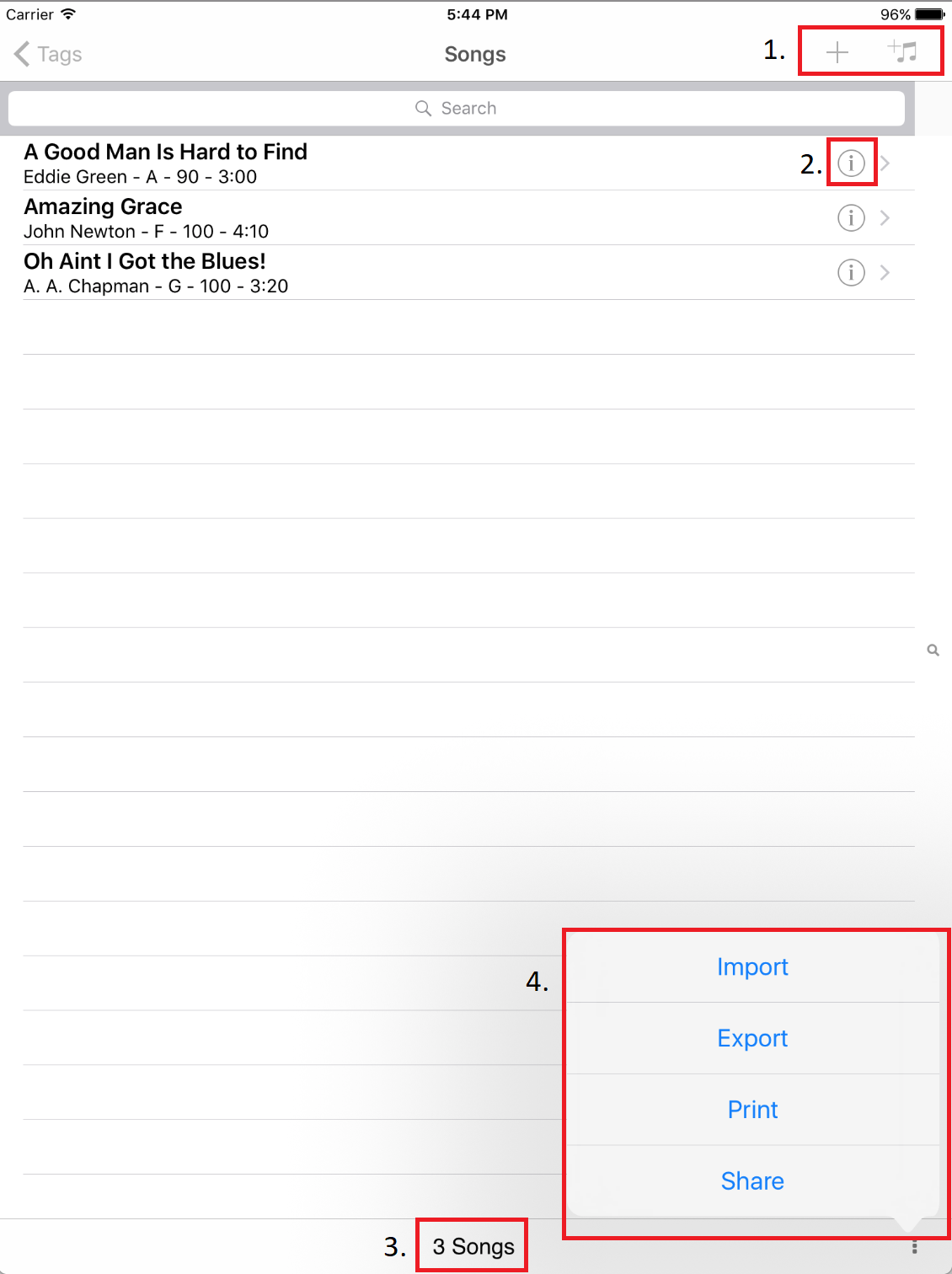
- Add Tag Songs - The plus button on the right allows you to add a brand new song to the tag. The plus with a music note button allows you to select songs from the Song Catalog, as described below.
- Edit Song - Tap the information icon to edit the song attributes.
- Count of Songs - This is a count of songs in a tag.
- More Options:
- Import - This is the same as importing in the Song Catalog but this will import songs into this tag. If you import the same songs again, it will not duplicate them; it will just add them to the tag.
- Export - This is the same as the export in the Song Catalog but it will only export the songs in this tag.
- Print - Opens the print dialog that will allow you to print the songs in the tag.
- Share - Opens the system share view so you can share the text version of the tag songs. You might use this to email or text the tag songs.
Adding Songs from the Song Catalog
Tap the icon with a plus and music notes to add songs to your tag.
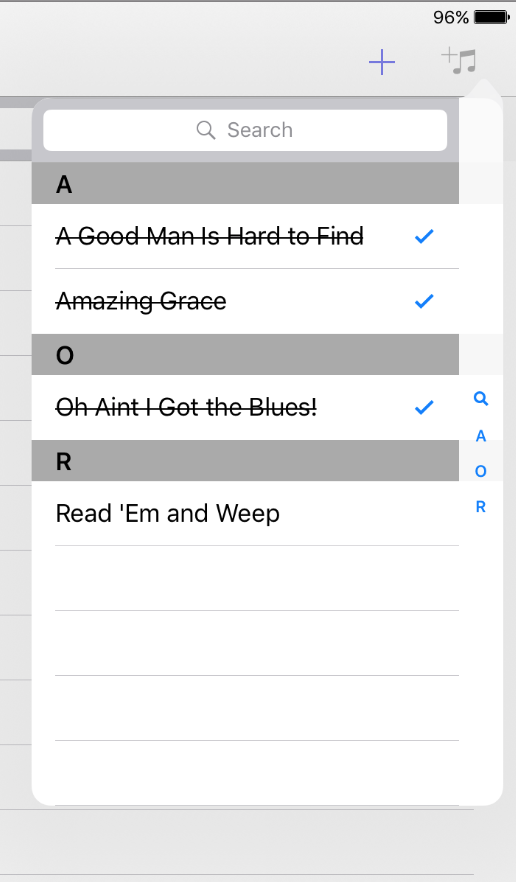
The view above is the Song Catalog selector. If the song is already in the tag, it will be checked and the text will have a strikethrough.
Deleting Songs from a Tag
To delete a song from a tag, swipe the song from the right to the left. You will see the delete button appear.